
A Clean Dashboard Doesn't Imply Security: Here's Why
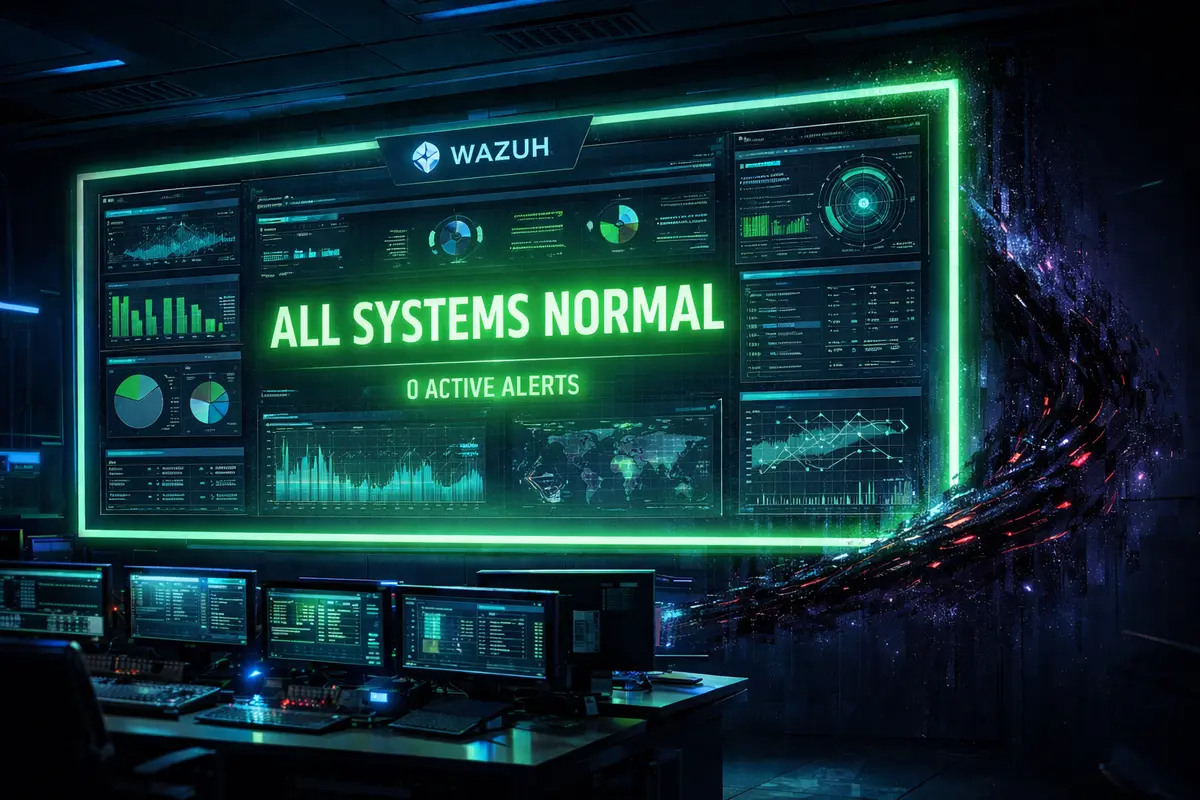
I recently uncovered a concerning security blind spot in an enterprise case study—a flaw that highlights the dangerous assumption many make about cybersecurity: that 'no alerts' equals 'no threats'.
Security is inherently complex, but the real danger emerges when we blindly rely on default settings and minimum requirements. Too often, decision-makers, founders, and even some security professionals accept the bare minimum as sufficient. Unfortunately, these defaults have consistently proven to be the most easily exploited loopholes by sophisticated threat actors.
I conducted a case study using a critical security feature, File Integrity Monitoring (FIM), and the results were a subtle yet potent warning.
Understanding the FIM blind spot
FIM is a vital feature in most security monitoring suites, enabling security professionals to closely track changes to critical files and folders on systems.
Organizations typically configure FIM to monitor specific high-value directories. For example:
A company storing financial and employee records might monitor
C:\Users\Records\bio-datafor any change.A startup might prioritize a directory on an AWS instance like
home/startup-files/sensitivewhere login credentials backups are stored.
The critical issue arises when your dashboard is clean, showing predictable activity only in these monitored directories, while malicious activity thrives in unmonitored directories. A clean bill of health for the monitored segment does not imply that the entire endpoint or network is safe.
While FIM is excellent at helping identify:
Malicious files that bypass anti-download protection.
Rapid or abnormal file modification.
Data exfiltration attempts.
Unusual file activity and movement.
...its effectiveness is entirely dependent on its scope.
The case study in practice
My recent test revealed how easily an organization can become blind to subtle malicious activities.
On a test Linux machine, our FIM was initially configured with a narrow scope. As shown in the document, we first checked the contents of the home directory and then inspected the 'cybersec' subdirectory, which contained a sensitive file.
On a Linux machine,
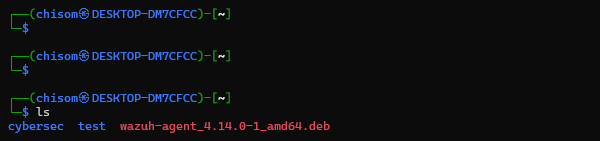
The home directory isn’t under FIM, as we’d see later. This is because FIM was configured to scan only the specific path specified in our agent.conf file.
Crucially, the FIM was not configured to monitor this location.
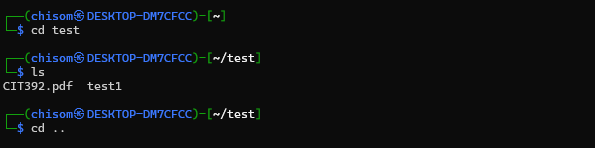
Afterward, we checked the ‘test’ subdirectory to see the files inside it. Just two.
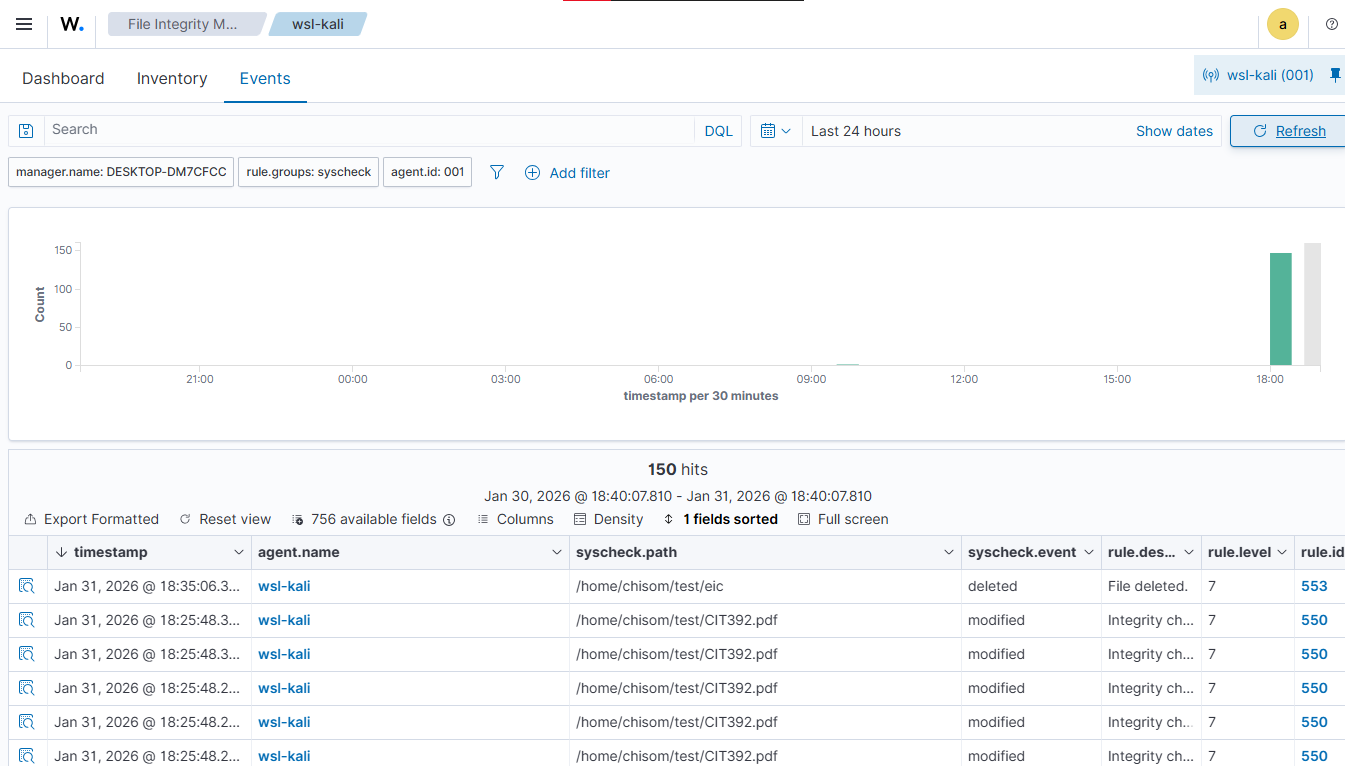
FIM report showing changes made to the test subdirectory.
The next image confirms the problem: our agent.conf file was set to scan only a specific subdirectory (e.g., /home/chisom/test), resulting in a critical security blind spot. Any file added, modified, or deleted in the parallel, unmonitored /home/chisom/cybersec directory was completely undetected.
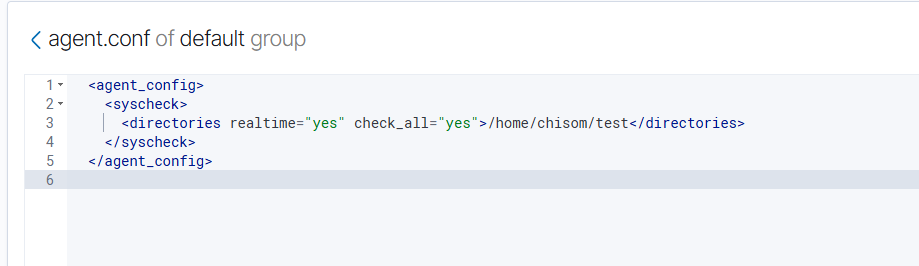
My agent.conf file confirms that I have configured FIM to scan only the test subdirectory.
We then shifted the FIM configuration from the specific rule:
<directories realtime="yes" check_all="yes">/home/chisom/test</directories> to the more robust, all-encompassing configuration:
<directories realtime="yes" check_all="yes">/home/chisom/*</directories>
Alternatively, if we don’t want to monitor subdirectories under home/chisom/, i.e., home/chisom/cybersec/We should leave it as shown in the image below.
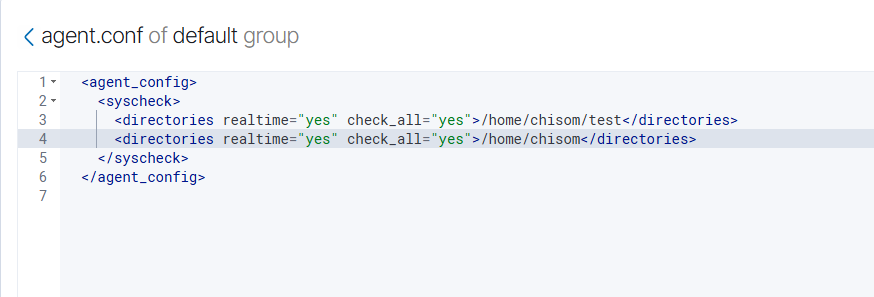
The second command instructs FIM to scan for the home/chisom directory and any subdirectory under it. While this approach can generate more noise, it eliminates the blind spot entirely.
To confirm the new setup, we downloaded a file into the main home directory. The resulting FIM log now immediately detected the file change, verifying the secure, comprehensive coverage we had established. This simple change is the difference between a secure environment and one that is moments away from compromise.
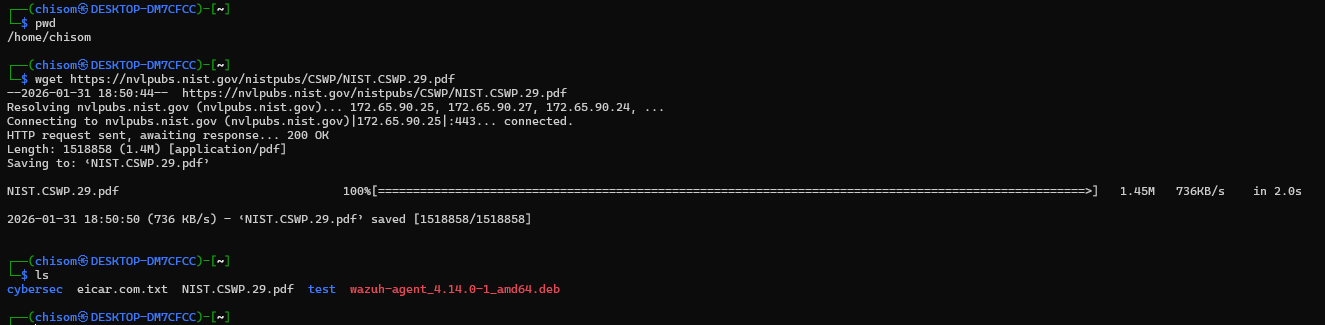
The image below verifies that FIM now detects file changes made to our agent from that directory:

Here is what to do: 3 steps to FIM robustness
Security must be proactive, not reactive. To ensure your File Integrity Monitoring system is a shield, not a false sense of security, take these steps:
Adopt a Whitelist Approach to Monitoring: Instead of focusing solely on your most critical known folders, implement a strategy that monitors all system-critical directories by default (e.g., system configuration files and executable paths). Exclude only those folders that are proven to generate excessive, non-critical noise (e.g., temporary caches) and pose a negligible security risk.
Audit FIM Scope Quarterly: Your system environment and data storage locations are not static. Conduct a quarterly audit of your FIM configuration to ensure it covers new servers, cloud instances, and recently created high-value data repositories. A configuration that was robust six months ago is likely insufficient today.
Automate FIM Detections: When FIM detects an event, it’s only a starting point. Integrate your FIM with active response found in SIEMs and SOAR platforms. With an active response, FIM can be configured to trigger specific actions when anomalous activity is detected.
Combine FIM with other security features: Instead of relying solely on FIM, assess overall system vulnerabilities and deploy Host-Based Intrusion Detection (HIDS) systems for very critical security endpoints.
Don't let a clean dashboard lure your organization into complacency. A silent environment may not be a secure one—it might just be a blind one. Your security strategy must go beyond the defaults to protect what you can't afford to lose.